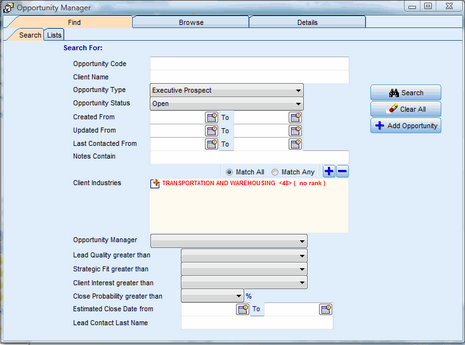
The Opportunities Search form can be used to search on one or more fields.
The form displayed below does an AND search on any combination of the following fields:
•Opportunity Code
•Client Name
•Opportunity Type
•Opportunity Status
•Created date range
•Updated date range
•Notes containing (full text search)
•Client Industries
•Opportunity Manager
•Lead Quality greater than
•Strategic Fit greater than
•Client Interest greater than
•Close Probability greater than
•Estimated Close Date range
•Lead Contact Last Name
The result of a search for Opportunities is either a Browse List of Opportunities or a detail view of an Opportunity if only one record is found.
Example: Opportunities Search screen